Never Lose Another
family
Recipe
From grandma's handwritten cards to that perfect recipe you found online — capture, cook, and preserve every precious recipe with AI-powered tools and a beautiful step-by-step cooking experience.
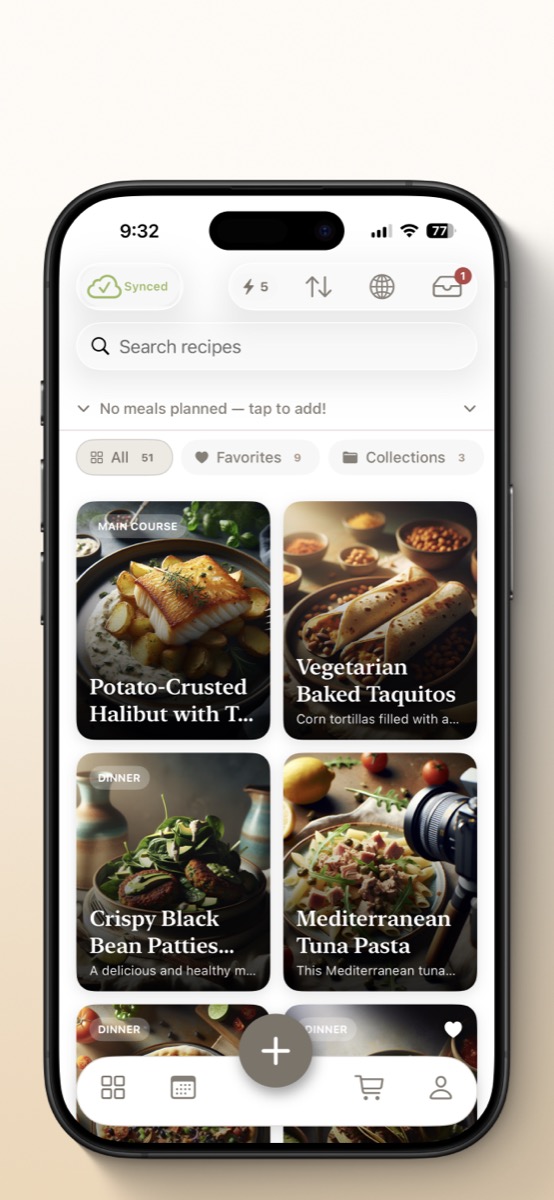
Try RecipeHero on iPhone & iPad
Get the native app with offline access, widgets, and smart timers — designed for both devices.
Download iOS AppEvery Recipe. Every Source. One Place.
Whether it's a faded handwritten card, a recipe blog buried under ads, or a dish you just dreamed up — RecipeHero captures it all.
Snap a Recipe Card
Photograph grandma's handwritten cards, old cookbooks, or clippings. AI reads the text and converts it into a clean, searchable digital recipe — instantly.
Import from Any Website
Paste any recipe URL and AI extracts just the recipe — no life stories, no ads, no scrolling past 47 paragraphs to find out how much butter you need.
Type It In
Got a recipe from a friend, a magazine, or your own head? Quick manual entry with smart formatting keeps everything organized.
Safe in the Cloud
Your recipes sync across all your devices and are backed up securely. Water damage, lost phones, faded cards — your collection is always safe.
Collections & Search
Organize recipes into custom collections. Search by name, category, or filter by ingredient. Find exactly what you're looking for, fast.
Share & Export
Share recipes as beautiful PDFs, send them to family, or export your entire collection. Pass down your culinary legacy to the next generation.
Cook Hands-Free, Step by Step
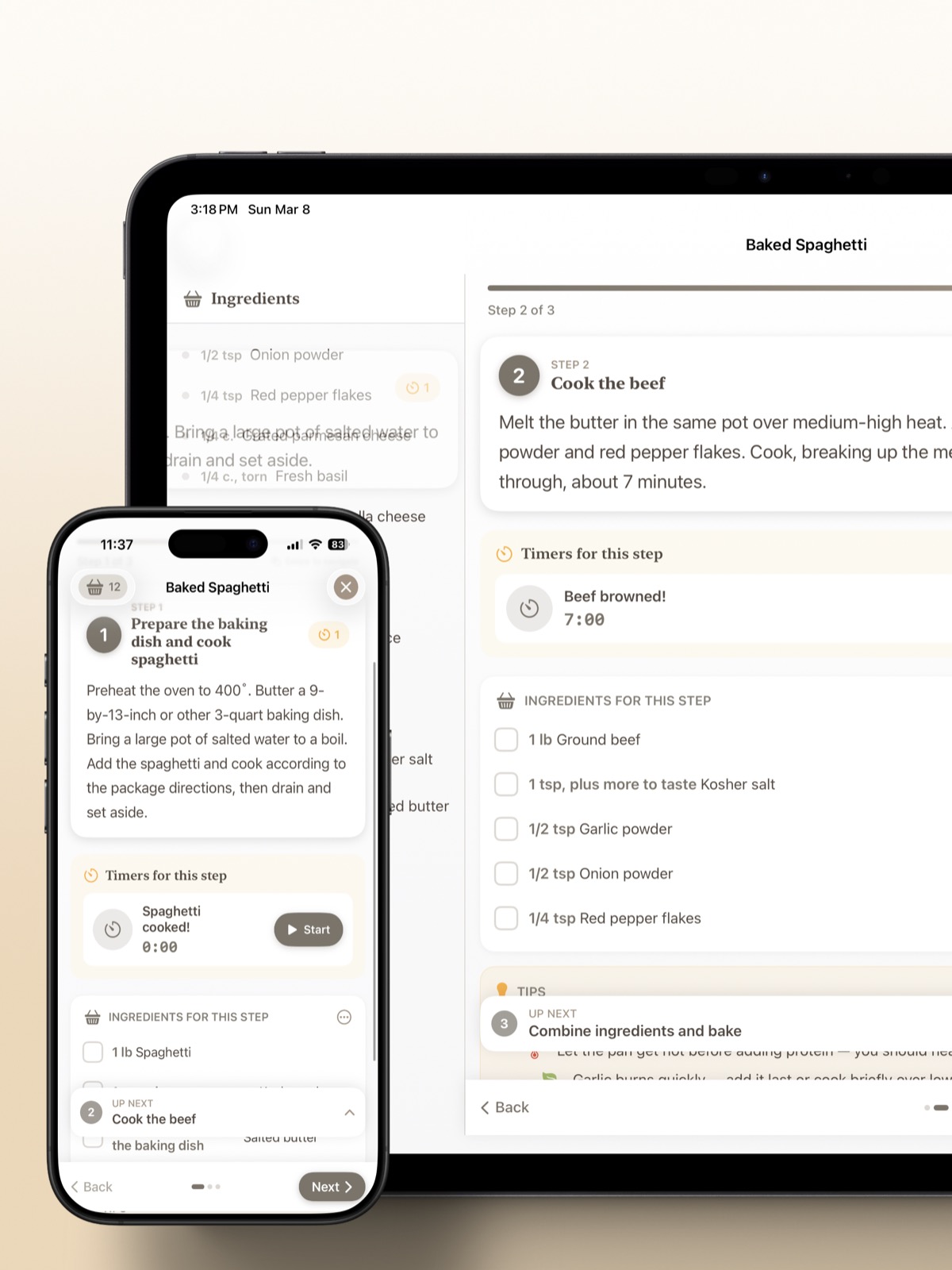
Full-screen cooking mode turns your phone or iPad into the perfect kitchen companion. No more fumbling with your phone while your hands are covered in flour.
Swipe Through Steps
Large text, one step at a time. Swipe to advance — designed for messy hands and quick glances.
Smart Timers on Your Lock Screen
AI detects when a step needs timing and creates a timer automatically. Runs as a Live Activity on your Lock Screen and Dynamic Island — no need to keep the app open.
Ingredients at a Glance
Each step highlights exactly which ingredients you need and how much. No more scrolling back and forth between instructions and the ingredient list.
Made for iPad in the Kitchen
Prop your iPad on the counter and cook with a dedicated two-column layout — ingredients alongside instructions, all at a glance.
AI That Actually Helps You Cook
Not just another chatbot. RecipeHero's AI works on-device and in the cloud to solve real cooking problems.
Reverse Engineer Any Dish
See a gorgeous dish at a restaurant or in a photo? Snap a picture and AI analyzes what it is, asks you a few questions about your preferences, and generates a complete recipe with ingredients and instructions.
Remix for Dietary Needs
Transform any recipe to fit your diet — vegetarian, gluten-free, dairy-free, keto, and more. AI adapts the ingredients and instructions while keeping the spirit of the original dish. The original recipe stays untouched.
Generate a Recipe from Scratch
Describe what you're craving — "a quick weeknight pasta with whatever's in my fridge" — and AI creates a complete recipe with your preferred cuisine, serving size, and dietary restrictions.
On-Device AI — Private, Free & Fast
On supported devices, RecipeHero uses Apple's built-in Foundation Models and Image Playground to generate and analyze recipes entirely on your device. No data is sent to third-party AI services — ever.
Your recipes sync securely to your RecipeHero account so you can access them across devices. Devices that don't support on-device AI fall back to our cloud processing — same great results, just processed on our servers instead.
Plan Your Week, Stress Less
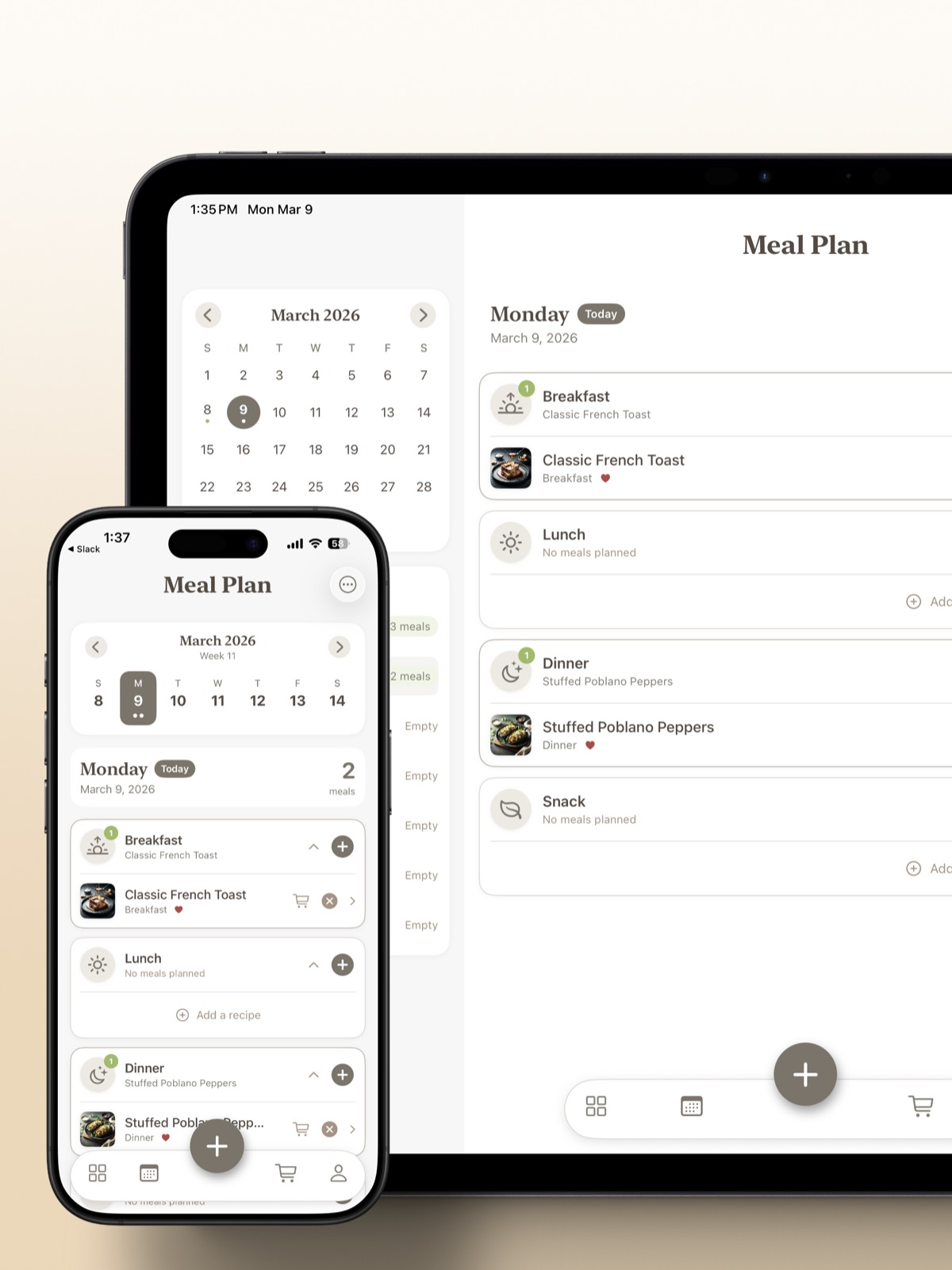
Stop stressing about "what's for dinner?" Add recipes to your weekly calendar and let RecipeHero handle the rest.
Weekly Calendar
See your entire week of meals at a glance. Assign recipes to breakfast, lunch, dinner, or snacks.
Auto Shopping Lists
Generate a combined shopping list from your meal plan with one tap. Sync it to Apple Reminders so it's on your wrist.
Scale Servings
Cooking for 2 or 12? Adjust serving sizes and all ingredient quantities scale automatically — no mental math required.
Widgets on Your Home Screen
See today's meals, your shopping list, and a recipe of the day right on your Home Screen — no need to open the app.
Two Devices. One Kitchen.
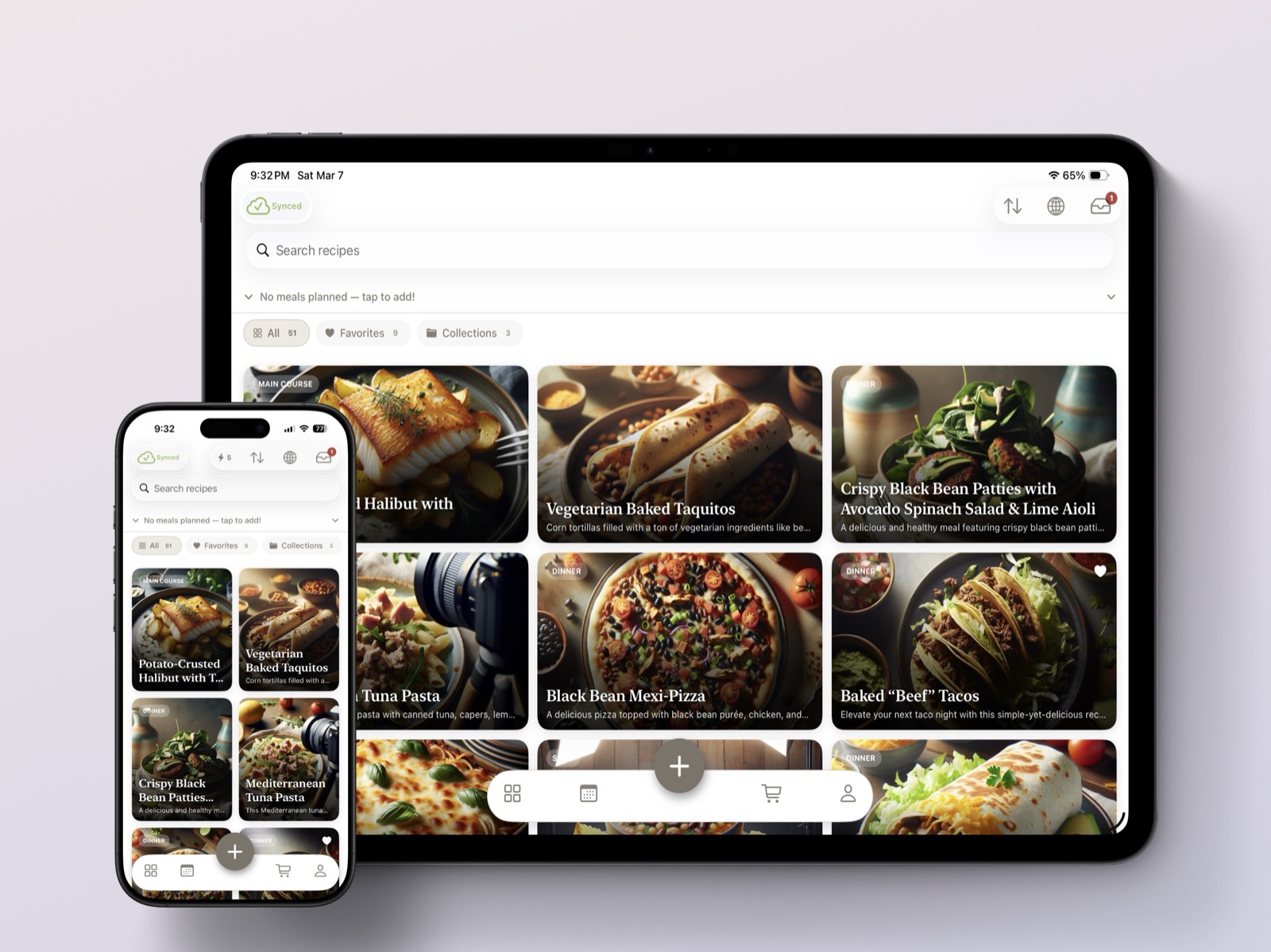
RecipeHero is meticulously crafted for both iPhone and iPad — a true experience designed for how you actually use each device.
iPhone is Your Recipe Scout
Capture recipes at restaurants, import on the go, check your shopping list at the store. Your entire collection in your pocket, always.
iPad is Your Kitchen Companion
Prop it on the counter and cook hands-free. Two-column layouts, larger touch targets, and a beautiful display that makes meal planning a joy.
Seamlessly in Sync
Capture a recipe on your phone at dinner, find it waiting on your iPad when you're ready to cook. Everything syncs instantly.
Built by a Dad Who Just Wanted to Make Dinner Easier
RecipeHero started with a simple problem: recipes scattered across bookmarks, screenshots, handwritten cards, and half-remembered conversations. I built RecipeHero because recipes aren't just instructions — they're memories, traditions, and love passed down through families. Every feature exists because I needed it in my own kitchen.
Privacy First
AI runs on-device using Apple's Foundation Models — no data sent to third-party AI. We never sell your data.
Works Offline
Full access to all your recipes without internet. Syncs when you're back online.
Kitchen Tested
Every feature is designed for real cooking — messy hands, bright kitchens, one-handed use.
Discover Recipes from the Community
Browse what other home cooks are sharing. Find your next favorite dish and save it to your collection with one tap.
Your Recipes Deserve a Better Home
Start capturing, cooking, and preserving your recipes today — it's free to get started.